
Know the relationship.
Companies, contacts and deals, connected to their notes and next steps.
Explore the pipelineOrbis keeps your customers, deals, tasks and invoices in one place, and its agents flag what needs doing next: follow-ups, missing tasks, overdue invoices. You approve every step.
Free for now. One user. No card required. $5/month coming soon.
How it works
For any business or freelancer that needs a CRM. Free to start, no card required.
Pick a starting setup for how you work, then add companies, contacts, deals, tasks and invoices.
Orbis flags overdue invoices, drafts follow-ups for deals in proposal or negotiation, and adds missing next-step tasks.
Edit any draft, approve it, and it becomes a task with your text. Orbis never sends anything for you.
A real workspace. Sample data. Yours to explore.
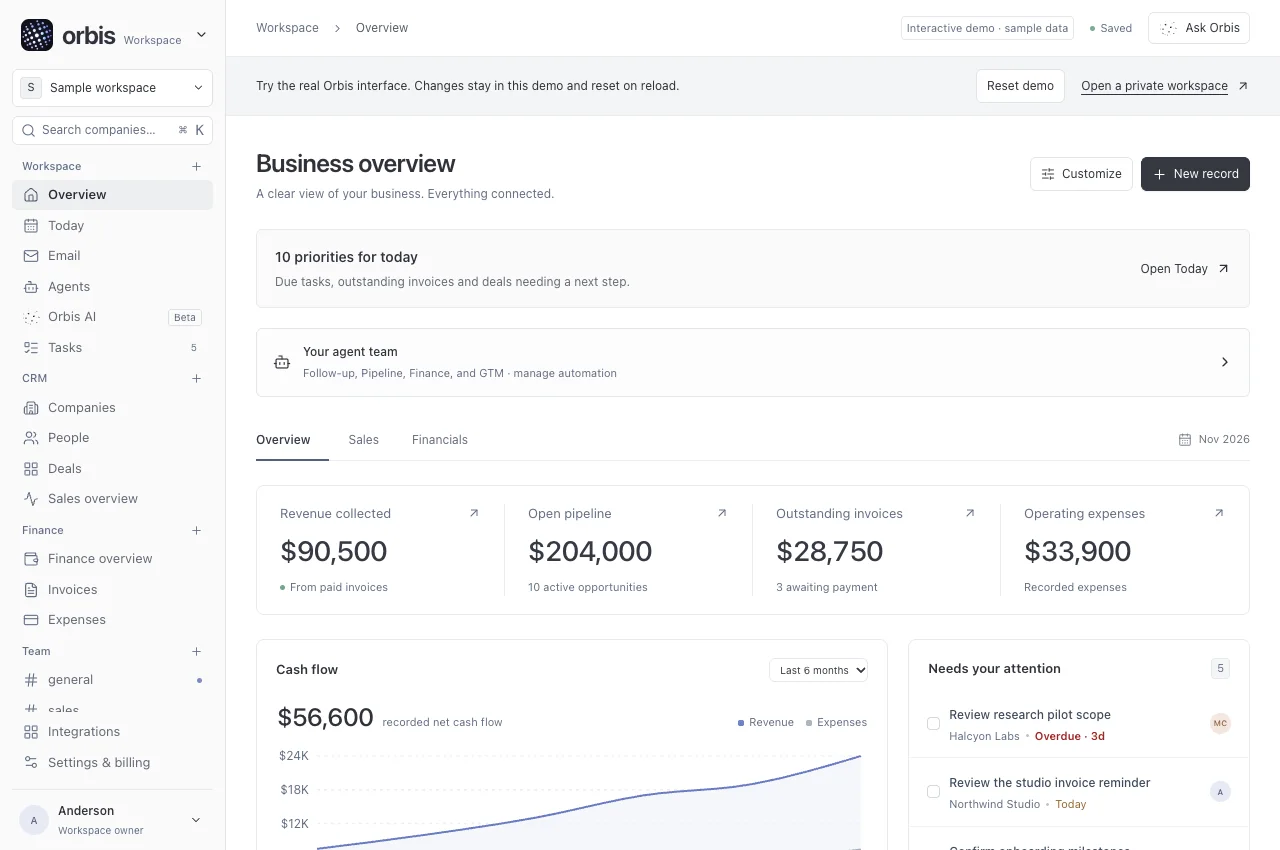 Open the interactive demo
No sign-in. No real customer data.
Demo changes reset on reload.
From the first conversation to the next invoice. Keep the relationship and the work in the same place.
Companies, contacts and deals, connected to their notes and next steps.
Explore the pipelineGive tasks an owner, a due date and the customer context behind the action.
Try a draft reviewTrack invoice drafts, recorded payments and expenses alongside your customers.
See the use casesThe human part stays human
Orbis prepares the follow-up. Edit it, approve it, and it becomes a task with your reviewed text. Orbis never sends it for you.
Keep the conversation going
The tools around your CRM
We’re building connections for the inbox, calendar, team conversations and accounting tools around your business.
Get notified when they’re ready
Email conversations

Customer meetings

Team conversations

Customer accounting
In development. These connectors aren’t in the public demo. Each will require your permission, with automatic sending and sync off by default.
Bring your Orbis context to Claude Code, Codex and other API-compatible agents with a scoped Orbis API key.
API access · betaCreate a scoped key in Orbis Settings, then configure your agent.
Get product updates Claude CodeAPI setup
 CodexAPI setup
Requires setup in your agent. These are API connections, not one-click integrations.
Orbis desktop
Use the same Orbis account on the web, Mac or Windows. Explore the desktop apps and see which downloads are ready.
See desktop downloadsA closer look
Practical answers about the workspace, its agents, and this first version of Orbis.
The public sample workspace includes company records, a team overview, a sales pipeline, invoice and expense tracking, tasks, channels, and four rule-based agents. The demo uses temporary sample data that resets on reload. Your private account starts empty.
GTM ranks recorded accounts and prepares campaign drafts. Follow-up prepares messages for proposal and negotiation stages. Pipeline creates missing next-step tasks. Finance prepares reminders for overdue unpaid invoices. Run them manually or enable relevant record-change triggers.
No. The CRM and rule-based agent workflows work without an AI connection. Live AI chat and AI-enhanced drafts are not enabled in this beta.
Yes. Scoped Orbis API keys are available in Settings. API-compatible agents can read workspace records, with optional permission to update them. Set an expiry and revoke access when needed. These connections require agent setup; they are not one-click native integrations.
The beta supports one user per private workspace. Team invitations and shared workspace access are not available yet. Sample owners and channel conversations illustrate the interface; they do not give other people access to your records.
No. Approving a draft creates an internal task and keeps the reviewed text. Orbis does not send emails or invoices, move money, or reconcile bank accounts. You decide how the next step is carried out.
Agents work with accounts already recorded in Orbis. External prospect discovery, enrichment, email, Slack, and QuickBooks connections are not available in this version. Unknown account facts stay visible so you can complete them.
Yes. Setup offers general operations, service business, and sales-focused starting points. Choose the modules you see, your starting view, and an agent to explore. These choices save to your private workspace and follow your account across devices.